







ChatGPT vs Gemini in 2026: Which AI Assistant Should You Use for Everyday Research?
You have a question, a document to summarize, or a plan to write. Should you open ChatGPT or Gemini? Both AI assistants can help with drafts and ideas, but neither should be treated as a source of truth. The most useful choice depends on your task, your existing tools, and how you verify the result.
This guide compares practical workflows rather than making claims about a universal winner. AI models, plans, limits, and connected services change often. Test your own task and check the current official settings before sharing personal data. Most of the value comes from a clear prompt and a careful review, not from the name of the assistant.
What ChatGPT and Gemini have in common
ChatGPT from OpenAI and Gemini from Google can answer questions, help organize text, and suggest ways to solve a problem. They can also make mistakes. A smooth answer may contain a wrong date, a missing condition, or a made-up source. That risk matters most when you need facts for a report or a decision.
Imagine asking either tool to compare rental insurance terms. You may get a clear explanation of common terms, but the tool cannot replace reading your actual policy. Use AI to create a checklist of questions, then verify the answers against the insurer’s documents. The same principle applies to school research and workplace planning.
ChatGPT for writing and structured problem solving
Begin with a real brief
ChatGPT can be useful when you need to turn rough notes into a clear draft or explore several ways to approach a task. For example, a volunteer organizer could paste a short list of event details and ask for a friendly announcement. The result should be checked for dates, location, and promises before anyone sees it.
A good prompt states the audience, purpose, length, and limits. Instead of “Write an email,” try “Draft a 120-word email to parents about a school art day. Use a warm, plain tone. Leave the date as a placeholder because it is not confirmed.” This prevents the assistant from filling a gap with a guess.
Use search results as leads
OpenAI’s search guide explains how web search can support responses with sources. A citation is useful because you can open it and inspect the original page. It is not a guarantee that the summary is accurate. Read the source, check its date, and see whether it actually supports the claim.
When a question depends on new software features, ask the assistant to use recent official documentation and list what remains uncertain. A short accurate answer is better than a broad comparison full of unsupported details. If a feature is tied to a paid plan, verify the current plan before making a recommendation.
Gemini for research and Google-centered work
Gemini may fit people who already use Google services or prefer its interaction style. It can help brainstorm search questions, summarize material supplied by a user, or structure an outline. Connected features and their permissions depend on the account, product, and plan. Do not assume that every Google account has the same access.
Suppose a college student wants to study a long topic. They can ask Gemini for a list of key concepts and follow-up questions, then read primary sources to check each point. The assistant can help frame the study session, but it should not invent references for a paper. A teacher or professor may also have rules about AI use, so follow those rules.
Double-check claims
Google’s Gemini response guidance warns that responses can be inaccurate. Treat that as a practical instruction: do not copy a number, quote, or legal requirement into a final document without checking it. Ask for sources, open them, and compare the text. If the source does not support the claim, remove it.
Which one is better for writing?
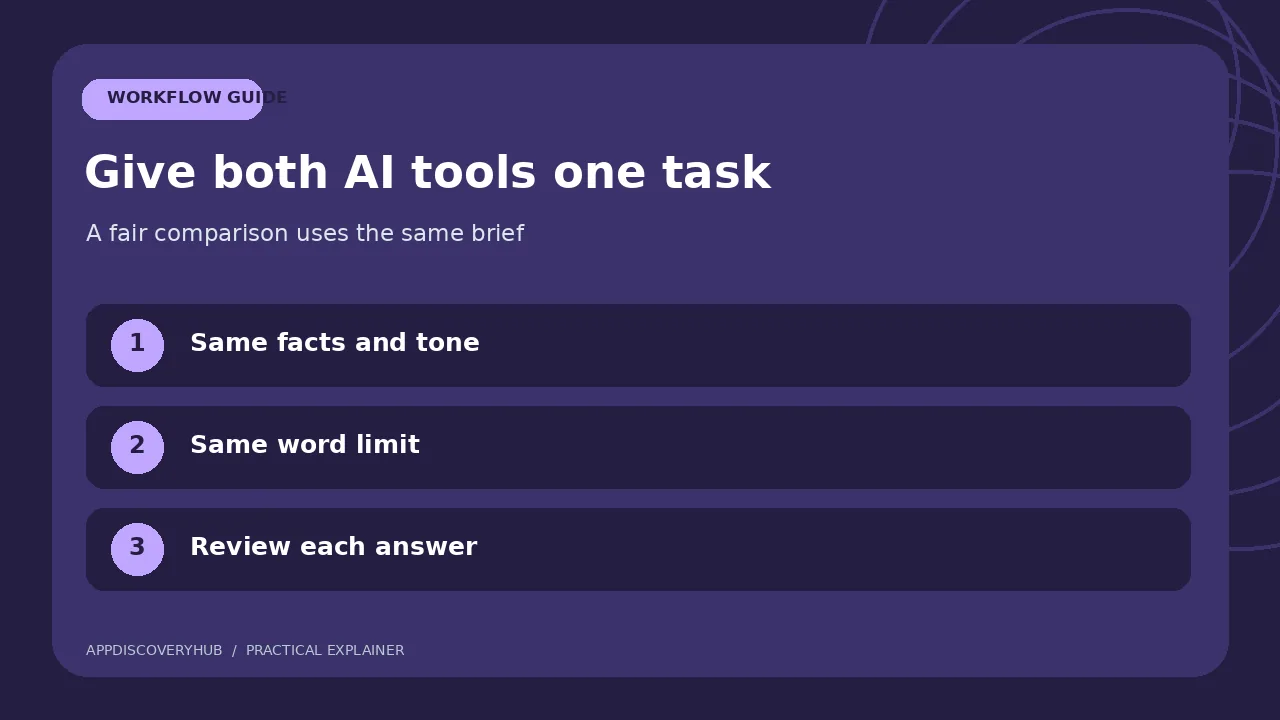
Writing quality is partly a matter of taste and prompt detail. Run the same task in both tools. Give them a short brief with five facts, a target audience, and a word limit. Read the results aloud. Which one keeps the facts intact? Which one uses a tone that fits the reader? Which one needs fewer edits?
For a business announcement, check names, dates, links, and promises. For a personal letter, check whether it sounds like you. For a school assignment, use the tool only within school policy. An assistant may produce polished text while missing the one detail that matters most.
Which one is better for research?
Both can help you understand a new topic. Neither should be your final evidence. Create a small research question and ask for the key claims that need verification. Then open official records, peer-reviewed papers, or primary sources. Record the source date and what it actually says. If two sources disagree, investigate rather than choosing the nicer answer.
For example, when researching battery life on a new phone, separate manufacturer claims from independent tests. Ask AI to explain the difference between a test method and a real user’s day. Do not treat an estimate as a guarantee. This habit helps with any product comparison.

How to compare them fairly
Choose three tasks from your actual week: rewrite a short message, explain a concept, and organize a plan. Give both assistants the same starting information. Use the plan or version you would normally use. Time how long it takes to get an answer you can use after fact checks and edits.
Keep a simple record. Did the assistant follow the word limit? Did it ask for missing details? Did it cite genuine sources? Did it make assumptions about your situation? One lucky response is not a full test. Three different tasks give you a more useful picture.
Privacy and sensitive data
Do not paste passwords, private medical records, customer lists, or confidential company data into a consumer AI tool without permission and a clear understanding of its settings. Review ChatGPT’s data controls and Google’s Gemini privacy guidance. Settings and retention rules may vary by account and product.
If you need help writing a client email, remove private identifiers. Replace a real customer name with “Client A” and use a general description. Put the correct details back into your final draft after reviewing it. This lets you gain writing help without sharing unnecessary information.

AI answers and expert opinions
OpenAI’s accuracy guidance notes that AI can produce incorrect statements, even fabricated references. Google provides similar caution for Gemini. These are not small footnotes. They are a reason to build verification into your workflow from the start.
If an assistant gives a quotation from a well-known researcher, open the original interview or paper. Check the wording, author, and context. If you cannot verify it, do not use it. It is better to paraphrase a supported idea with attribution than to publish an impressive quote that may not exist.
Use AI for a meeting plan
Suppose you must lead a thirty-minute team meeting. You have three decisions to make and four updates to share. Give either assistant that information and ask for an agenda with time blocks. Review the proposed timing, remove low-value items, and send the plan to attendees. The assistant can organize your thoughts, but you decide who needs to speak and what outcomes matter.
After the meeting, do not assume an AI summary is a perfect record. Check decisions against the actual notes and confirm owners and dates. If you use a recording or transcript, obtain appropriate consent and follow your organization’s policy. A wrong action owner can cause more harm than a missing paragraph.
Use AI for learning, not answer copying
Ask for a simple explanation, then try to restate it in your own words. Ask the assistant to give a short practice question without the answer. Solve it first, then compare the reasoning. If an explanation sounds unclear, ask for a concrete example. This active approach is more useful than collecting long summaries you never revisit.
For a coding task, start with a small example, run it in a safe environment, and inspect errors. For a math problem, verify the final result independently. AI is helpful as a tutor-like aid, but it can still make basic errors and should not replace the required learning process.

Cost and plan decisions
Both services may offer different free and paid levels. Limits and advanced tools change. Do not buy a plan for a feature mentioned in an older article. Open the official pricing page, check what is included for your account and region, and test the core workflow first.
A paid plan can be worthwhile if it saves measurable time on a task you do often. But there is no value in paying for a model you rarely use. Keep track of one week’s actual work before making a subscription choice. If the free workflow already meets your needs, stay with it.
Common mistakes
The first mistake is a vague prompt. The second is trusting a confident answer without a source. The third is sharing private information that is not needed for the task. The fourth is asking for a final decision that requires human judgment, such as interpreting a contract or medical symptoms. Use qualified professionals for high-stakes matters.
Another mistake is comparing two tools using different prompts and declaring one a winner. Keep the test fair. Also avoid asking an assistant to write fake personal experience or made-up customer stories for publication. If you use a fictional example, label it clearly.
Frequently asked questions
Is ChatGPT more accurate than Gemini?
Accuracy varies by task, model, sources, and settings. Neither is safe to trust without checks. Compare them on your real questions and verify important answers with primary sources.
Can either tool cite sources?
Both offer ways to work with sources in supported contexts, but availability and behavior vary. Open citations and confirm that the source supports the sentence. A clickable citation is not proof on its own.
Which one should a student use?
Choose the tool that helps you understand material while respecting school rules. Use it for questions, practice, and structure. Verify facts and write your own work where required.
Which is better for a small business?
Test a real business task such as drafting a support reply or outlining a plan. Review privacy, account permissions, integrations, and cost. The better choice is the one that fits the team’s workflow safely.
The bottom line
ChatGPT and Gemini are both capable assistants for everyday tasks. A clear prompt and careful review make either one more useful. Try the same three tasks, check sources and privacy settings, and keep the tool that helps you produce reliable work with less effort. Do not mistake a smooth answer for a verified fact.
Editorial note: This guide relies on official product guidance checked in October 2026. It does not claim controlled benchmark results or a permanent ranking of changing AI models.