Back in those days, finding your way during the trip required asking someone, or using paper maps.
But today, navigation has become easy and simple.
With Google Maps, finding your way around became easy and convenient. The app is one of the most popular among travelers.
“Knowing where you are going makes the journey easier.”
Below, we shall be discussing how to navigate using Google Maps.
What Is Google Maps and How It Can Help You?
Google Maps is an application that can be used to navigate the streets. Using it, you can find directions, destinations, and places.
Besides, you can use the app when traveling by car, foot, bike, or public transport.
Official Website: https://maps.google.com
The major advantage is real-time data which will allow you to avoid traffic and other delays.
Search for Places
Firstly, you should open Google Maps and enter the place in the search box.
The app will display the relevant results together with the location map.
You can tap on any result to learn more information.
Finding Directions to Your Destination
After finding your destination, go to the directions feature.
Enter the origin of your destination and the method of transportation you are using. Then the app will provide you with possible directions to your destination.
Using Navigation Mode
You can find directions using the navigation mode as well.
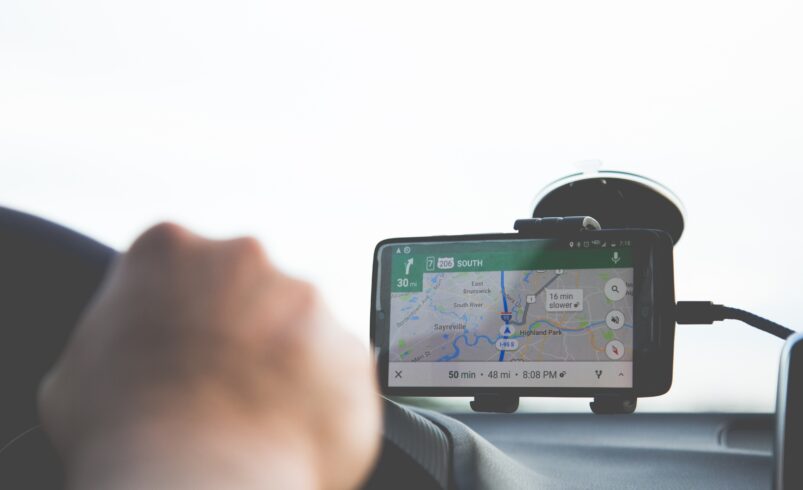
While using navigation mode, the app will provide you with directions via voice command which will be particularly useful while driving or walking.
Remember to turn on your GPS.
Discovering Other Locations Nearby
Apart from navigating the roads, Google Maps allows you to find other destinations.
You can simply type in the object you are searching for (e.g., hospital, restaurants, museums, cafes), and you will be able to discover nearby destinations.
The ability to find nearby destinations is particularly useful when arriving in a new place.
Saving Places for Future Reference
Another feature of Google Maps that allows you to find your way around is saving locations.
You can save various locations using the save button next to each destination. After saving, create categories such as favorites, etc.
Checking Reviews and Ratings for Destinations
If you are planning to visit a particular destination, make sure to look at its reviews beforehand.
By looking at the ratings and reviews for a destination, you can determine whether or not the place deserves your attention.
Looking up reviews can be especially useful for restaurants and hotels.
Using Offline Maps
Sometimes, you may not have an internet connection.
That is why you can use offline maps. Download maps before the trip and use them when needed.
How to Navigate Better?
Check your route before the trip.
Use the power bank to ensure that you don’t run out of charge. When traveling by car, always use a phone holder and follow traffic rules.
Use voice commands to navigate better and keep your hands on the steering wheel.
Avoiding Common Mistakes
One of the mistakes that many people do is choosing one route without analyzing all the possible routes. That is why it is recommended to compare routes before making the decision.
Moreover, some people do not update their app.
Always make sure that the application is updated and working properly.
Conclusion
Google Maps is one of the most helpful applications for navigating streets.
It helps you travel and plan routes easily. The most significant advantage is that it is convenient.
With Google Maps, you can find your destination anytime and anywhere using your smartphone.