






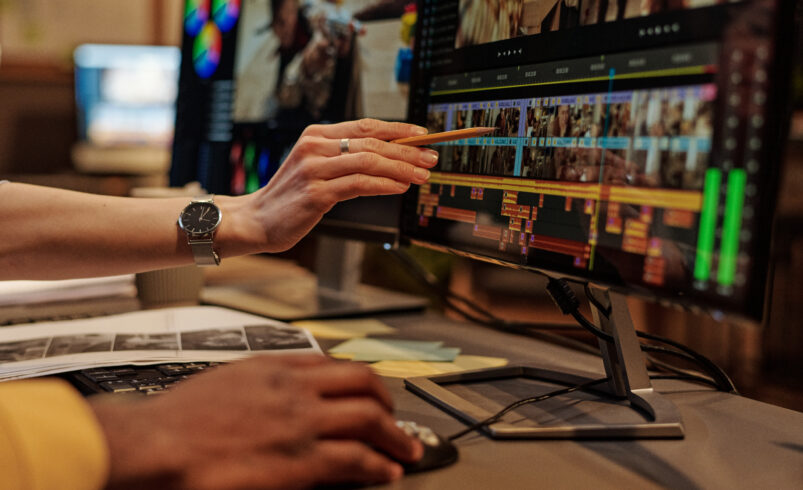
Creating videos today is no longer limited to professionals with expensive equipment. With the right apps, anyone can turn simple clips into engaging content that looks polished and well put together. Whether you are making videos for social media, YouTube, or personal projects, choosing the right editing tool makes a huge difference.
A good video editing app does more than just cut and trim clips. It helps you tell a story, add emotion, and keep viewers engaged from start to finish. Some apps focus on simplicity, while others offer advanced features for deeper creativity.
“Great videos are not made by tools alone, but the right tools make the process smoother and more enjoyable.”
Here are some of the best video editing apps that can help you create stunning content without feeling overwhelmed.
1. CapCut
Official Website: https://www.capcut.com
CapCut has become one of the most popular video editing apps, especially among content creators. It offers a clean interface with powerful features that are easy to use.
You can trim clips, add transitions, include music, and apply effects without needing any prior experience. The app also provides ready made templates that save time and effort.
It is perfect for short form content and social media videos. If you want quick results with good quality, CapCut is a solid choice.
2. Adobe Premiere Rush
Official Website: https://www.adobe.com/products/premiere-rush.html
Adobe Premiere Rush brings professional editing features into a simple and user friendly format. It is designed for creators who want more control without dealing with complex software.
You can edit videos, adjust colors, and add motion graphics in a smooth workflow. It also syncs across devices, which means you can start editing on your phone and finish on your computer.
It is a great option if you want a balance between simplicity and advanced features.
3. InShot
Official Website: https://inshot.com
InShot is widely known for its ease of use and quick editing capabilities. It is especially useful for social media platforms like Instagram and TikTok.
You can crop videos, add filters, include text, and adjust speed with just a few taps. The app focuses on making editing fast and accessible.
If you are just starting out or want to edit videos on the go, InShot makes the process simple and enjoyable.
4. KineMaster
Official Website: https://www.kinemaster.com
KineMaster offers more advanced editing features while still being mobile friendly. It allows multi layer editing, which means you can add videos, images, and effects on top of each other.
It also provides precise control over trimming and audio editing. This makes it suitable for users who want more creative freedom.
KineMaster is ideal if you want to move beyond basic editing and explore more detailed video creation.
5. Filmora
Official Website: https://filmora.wondershare.com
Filmora is known for its clean interface and powerful editing tools. It works well for both beginners and intermediate users.
The app offers a wide range of effects, transitions, and templates that help you create professional looking videos without much effort.
It is especially useful for YouTube creators who want to improve the quality of their content.
6. VN Video Editor
Official Website: https://www.vlognow.me
VN Video Editor is a free tool that offers features usually found in premium apps. It provides a timeline based editing experience with full control over clips.
You can add subtitles, apply filters, and adjust speed with precision. The app also allows easy export without watermarks.
It is a great option for creators who want powerful editing without paying for a subscription.
7. PowerDirector
Official Website: https://www.cyberlink.com/products/powerdirector-video-editing-software
PowerDirector combines speed with advanced editing features. It offers tools like motion tracking, video stabilization, and effects.
The interface is designed to be user friendly while still providing professional level options. This makes it suitable for both beginners and experienced users.
If you want a mix of performance and creativity, PowerDirector is worth trying.
8. iMovie
Official Website: https://www.apple.com/imovie
iMovie is a simple yet effective video editing app for Apple users. It provides basic editing tools along with clean templates.
You can create smooth transitions, add music, and build story based videos without much effort. The interface is easy to understand, even for beginners.
It is perfect for users who want a straightforward editing experience without too many complex features.
9. Canva Video Editor
Official Website: https://www.canva.com
Canva is not just for design. Its video editor is surprisingly powerful and easy to use.
You can create videos using templates, animations, and text effects. It is especially useful for marketing content and presentations.
If you want to create visually appealing videos quickly, Canva is a great option.
10. DaVinci Resolve
Official Website: https://www.blackmagicdesign.com/products/davinciresolve
DaVinci Resolve is a professional level video editing software known for its color grading capabilities.
It offers advanced tools for editing, visual effects, and audio production. While it has a learning curve, the results can be outstanding.
It is ideal for users who are serious about video editing and want to achieve high quality output.
Final Thoughts
Video editing does not have to be complicated. The right app can make the process smooth, creative, and even fun.
Each of these apps offers something unique. Some focus on speed and simplicity, while others provide advanced features for deeper control. The best choice depends on your needs and how comfortable you are with editing.
Start with an app that feels easy to use, and gradually explore more features as you grow. Over time, your skills will improve, and your videos will stand out naturally.
Good content always begins with a simple idea, and the right tools help bring that idea to life.